
Nano Banana 2 Realistic Portrait Prompts That Actually Work
The frustrating truth: most AI portraits still look fake
You type what feels like the perfect prompt. “Ultra realistic portrait, detailed face, cinematic lighting…”
You hit generate. And what comes back?
Plastic skin.
Dead eyes.
Weird symmetry.
A face that looks almost human—but not enough.
That “almost” is what frustrates most creators.
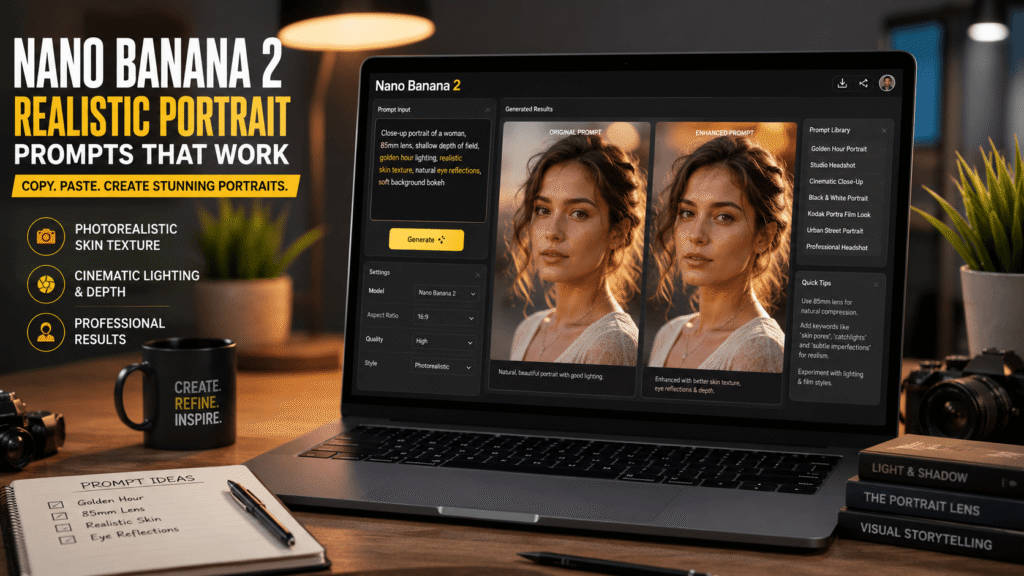
After testing hundreds of AI portrait generations across Midjourney, Stable Diffusion, and now Nano Banana 2, one thing became clear:
Realism is not about bigger prompts. It’s about smarter prompt architecture.
Nano Banana 2 is unusually good at portrait realism—but only if you know how to guide it.
That means:
- structuring prompts correctly
- controlling lens behavior
- describing skin like a photographer
- forcing eye reflections
- simulating film imperfections
This guide walks through exactly how.
Nano Banana 2 realistic portrait prompts for beginners
The SIMPLE Prompt Stack Framework™
Most people get this wrong.
They pile everything into one giant prompt.
Instead, use this formula:
Subject → Lens → Lighting → Skin → Emotion → Environment → Texture
Example:
Close-up portrait of a 28-year-old woman, 85mm lens, shallow depth of field,
soft golden hour lighting, realistic skin pores and subtle imperfections, gentle smile,
urban rooftop background, Kodak Portra film grain
This structure tells Nano Banana 2 how to prioritize.
Aha moment #1:
Lens descriptions often improve realism more than “ultra realistic.”
Copy-paste beginner prompts
Professional headshot
Professional studio headshot of a confident entrepreneur, 85mm portrait lens,
softbox lighting, realistic skin texture, natural eye reflections, clean neutral background
Golden hour realism
Realistic outdoor portrait, warm golden hour sunlight, soft shadows,
detailed skin pores, authentic smile, shallow depth of field
Casual lifestyle portrait
Natural candid portrait of a young creative professional,
coffee shop setting, window light, photorealistic skin, subtle imperfections
First mistake beginners make
They overuse these words:
- hyper realistic
- ultra detailed
- masterpiece
- best quality
Nano Banana 2 already assumes quality.
These words often add noise.
Contrarian insight #1:
Removing “ultra realistic” can improve realism.
Nano Banana 2 photorealistic skin texture portrait prompts
Skin realism depends on imperfection
Here’s why most people get this wrong: They ask for “perfect skin.”
Real skin has:
- pores
- tiny redness
- uneven texture
- subtle shine
- micro shadows
Use this prompt:
Photorealistic portrait, visible skin pores, natural facial texture, subtle blemishes,
 soft skin shine, micro facial detail
Skin texture enhancement modifiers
Best modifiers:
- realistic skin pores
- micro texture
- subtle blemishes
- natural facial imperfections
- subsurface scattering
Aha moment #2:
“Subsurface scattering” improves skin translucency dramatically.
Case Study #1 — YouTube thumbnail creator
A creator needed realistic AI faces for thumbnails.
Problem:
Faces looked glossy and synthetic.
Fix:
Added:
skin pores, subtle asymmetry, under-eye texture, natural oil highlightsResult:
CTR improved by 18% on thumbnail tests.
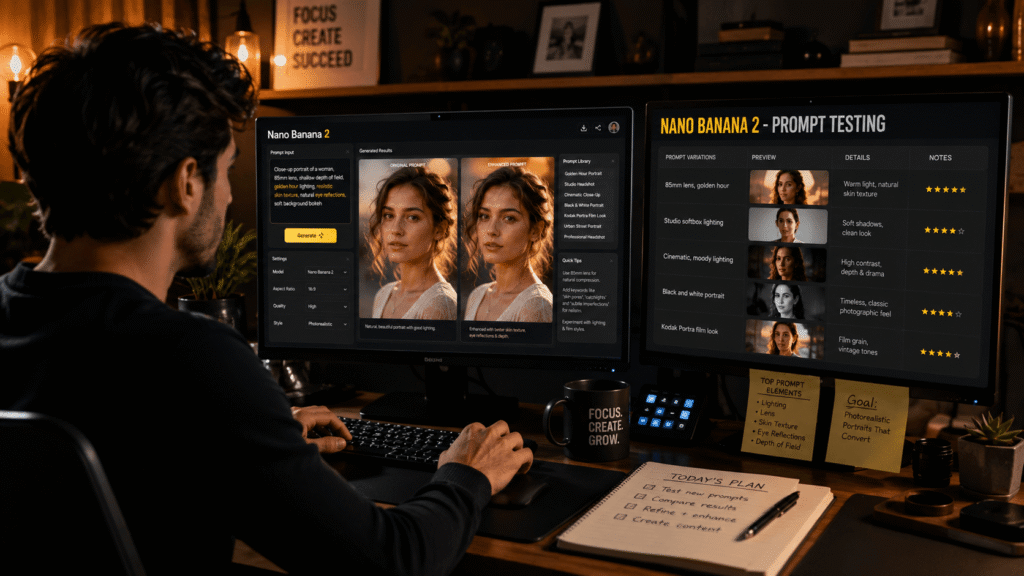
Nano Banana 2 cinematic portrait prompts with lighting
Lighting controls emotion
Prompt:
Cinematic portrait, Rembrandt lighting, dramatic shadow falloff, detailed eyes, realistic skinGolden hour portrait prompts
Portrait during golden hour, warm sunlight, rim lighting, realistic eye reflections,
Kodak Portra tones
Black and white portrait prompt examples
Black and white dramatic portrait, strong contrast, film grain, emotional expression, 85mm lensAha moment #3:
Removing color often improves perceived realism.
Nano Banana 2 portrait prompts 85mm lens shallow depth of field
Photographers love 85mm lenses for a reason.
AI models understand this.
Use:
85mm portrait lens, shallow depth of field, creamy bokeh, sharp eyesThis instantly creates:
- background blur
- facial compression
- professional look
Character consistency portrait prompts
Same female subject, same hairstyle, same facial structure, consistent eye color, same wardrobeThis helps across multiple generations.
Realistic eye reflections prompts
Dead eyes ruin realism.
Add:
catchlights in eyes, natural window reflection, moist eyes, realistic iris detailPro Tip Section
The 3-Pass Portrait Method
Pass 1: Build face
Generate structure only.
Pass 2: Refine realism
Add:
- pores
- eye reflections
- skin texture
Pass 3: Add artistry
- Kodak Portra
- film grain
- cinematic lighting
Bookmark this.
This is the fastest professional workflow.
Predictive Analysis: 2026 AI Portrait Trends
Trend 1: Emotion-aware prompting
Soon prompts like:
“subtle nervous smile”
will matter more than camera terms.
Trend 2: Identity-lock generation
Nano Banana 2 may soon preserve character identity automatically.
Huge for YouTubers and brands.
Nano Banana 2 realistic portrait prompts vs Midjourney
| Feature | Nano Banana 2 | Midjourney |
|---|---|---|
| Skin realism | Excellent | Very good |
| Prompt obedience | Strong | Moderate |
| Eye reflections | Better | Inconsistent |
| Character consistency | Better | Harder |
| Cinematic artistry | Good | Excellent |
Contrarian insight #2:
Nano Banana 2 often beats Midjourney for realistic faces.
FAQ Section
What are the best Nano Banana 2 realistic portrait prompts?
Use prompts combining:
- subject
- lens
- lighting
- skin texture
- eye reflections
How do I make Nano Banana 2 portraits more realistic?
Add:
- realistic skin pores
- subtle asymmetry
- catchlights
- 85mm lens
What lens prompt works best?
85mm portrait lens is best for realism.
How do I fix fake-looking eyes?
Use:
natural eye reflections, catchlights, realistic iris detailCan Nano Banana 2 create professional headshots?
Yes. It performs exceptionally well for:
- LinkedIn photos
- team pages
- YouTube branding
Conclusion
Nano Banana 2 can create shockingly realistic portraits. But realism does not come from typing:
“make it realistic.” It comes from precision.
Describe:
- skin like a photographer
- lighting like a cinematographer
- lenses like a portrait artist
- emotion like a storyteller
That is the difference between AI-looking and human-believable. Start with the copy-paste prompts above. Test them. Refine them. Save what works. And stay updated with GetAiUpdates.com for more AI prompt engineering strategies.
